Real builds as proof
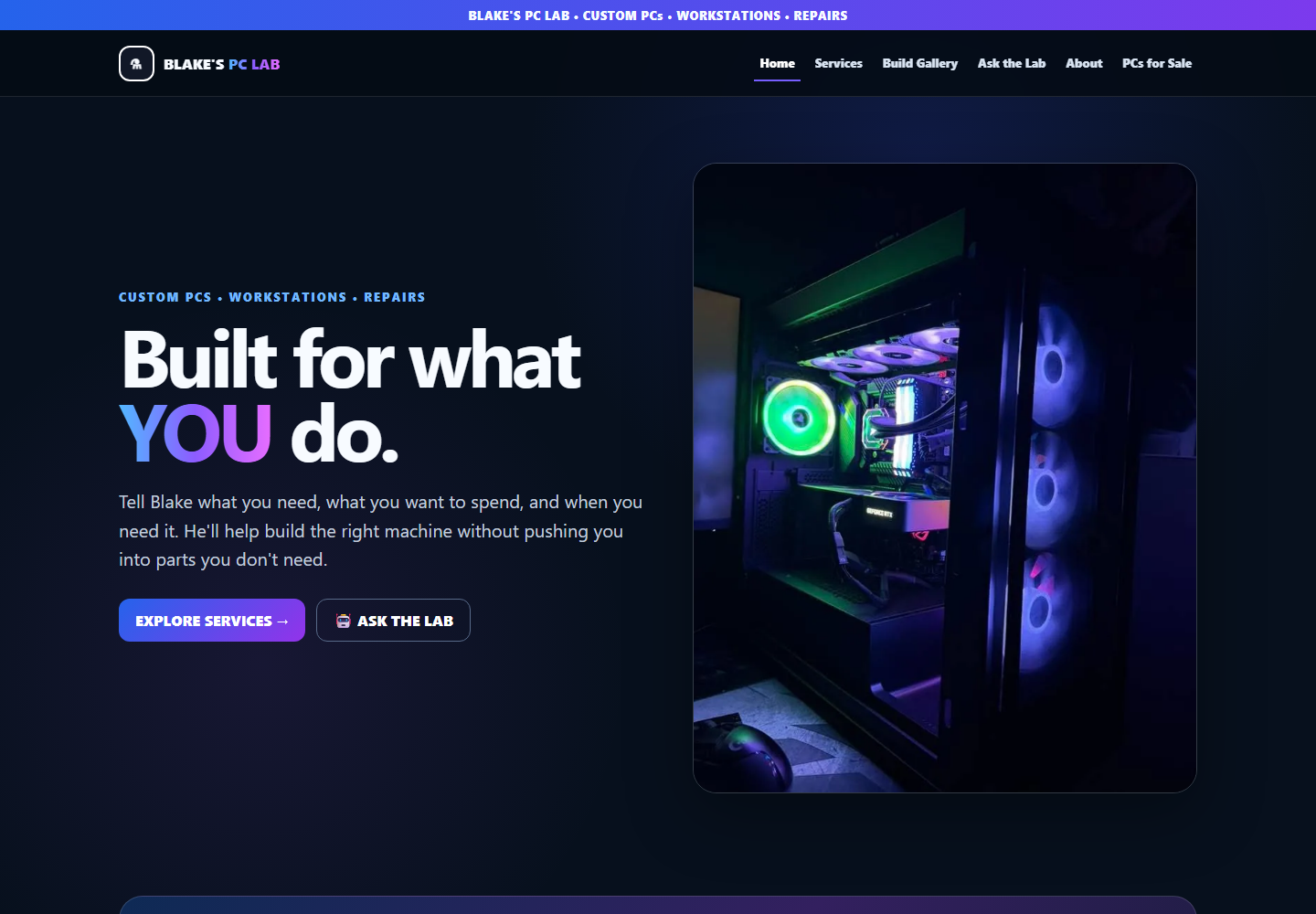
Use Blake’s own PC photography and gallery to demonstrate the work instead of decorative technology stock images.
Client case study
A PC-service website built to show real work, guide customers toward the right service, collect better information, surface ready-built inventory, and reduce unnecessary back-and-forth.
Starting point
Blake’s PC Lab serves customers who may need a full custom PC, a repair, an upgrade, a workstation, or simply help deciding what is worth buying. A generic brochure site would still leave Blake answering the same basic questions before he could determine what the customer actually needed.
The project therefore had two jobs: present Blake’s work credibly and move customer conversations further along before Blake had to step in.
What we built
These are current captures from the live site: the public-facing brand, real-build gallery, Ask the Lab workflow, and ready-built PC inventory.
Customer architecture
Customers can judge the quality and range of Blake’s actual PC builds rather than relying on generic stock imagery.
Custom builds, repairs and upgrades, workstations, parts guidance, and ready-built PCs are separated into useful customer choices.
Budget, workload, target performance, existing hardware, timeline, and goals can be gathered before a serious build conversation.
Ask the Lab is designed to handle routine guidance and prepare a concise handoff when Blake’s judgment, pricing, inventory, or scheduling is actually required.
Build decisions
The site has to educate without pretending the software can replace Blake’s final judgment.
Use Blake’s own PC photography and gallery to demonstrate the work instead of decorative technology stock images.
Separate new builds, upgrades, repairs, workstations, and guidance so customers can start in the right place.
Collect the details that actually affect recommendations: budget, use case, target, existing hardware, timeline, and goals.
Create a guided assistance layer for routine parts questions, compatibility, comparisons, and basic troubleshooting before escalation.
Keep final quotes, current inventory, scheduling, unusual issues, and service commitments under Blake’s control.
Give finished PCs their own sales path so available systems can be discovered without burying them inside general services.
What launched
No conversion, revenue, or customer-satisfaction claims are being invented here. This case study documents the verified system that launched.
Explore Blake’s PC Lab ↗A website can do more than sit there
We can start with the public website and add useful business tools only where they earn their place.
Discuss your project